
画像AI
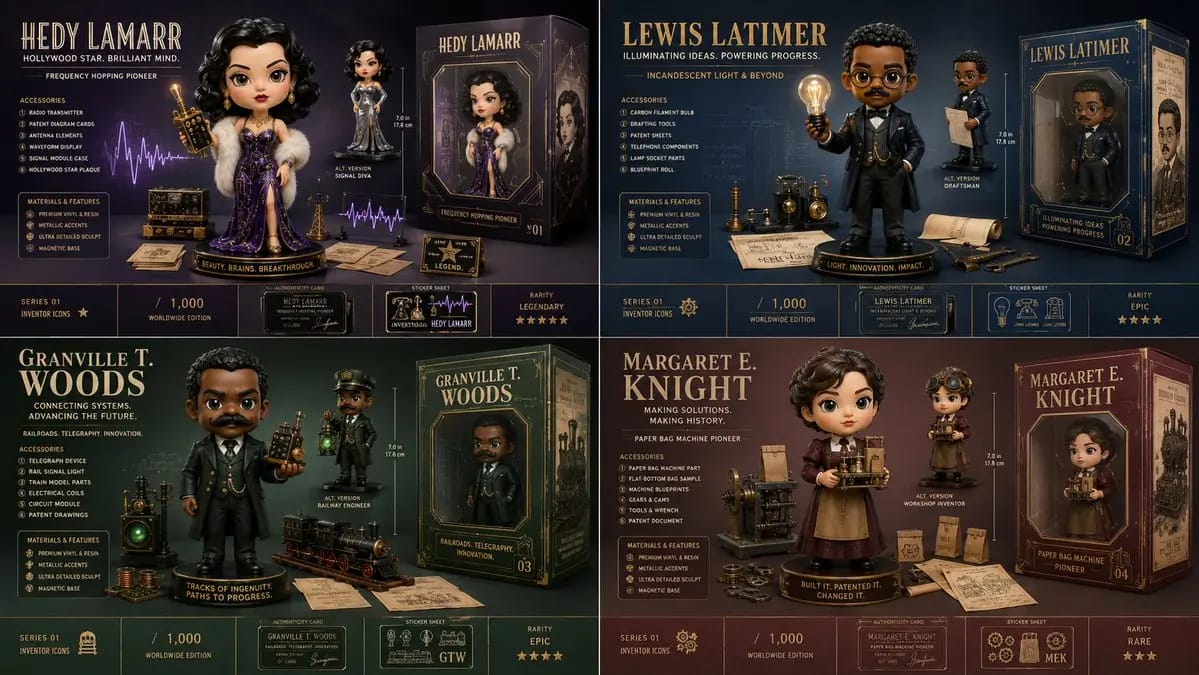
2x2 grid, 16:9, do this for 4 underrated inventors
2x2 grid, 16:9, do this for 4 underrated inventors that should have gotten more credit: Generate a collector-grade designer art-toy launch visual for [Subject]. Rules: - infer [Subject-Dna] automatically - create a large pristine...
プロンプト
2x2 grid, 16:9, do this for 4 underrated inventors that should have gotten more credit: Generate a collector-grade designer art-toy launch visual for [Subject]. Rules: - infer [Subject-Dna] automatically - create a large pristine [Hero-Figure] as the dominant center-left object - design the figure as a premium collectible, not a normal portrait - infer iconic outfit, pose, facial expression, scale, materials, and one signature handheld object - arrange [Accessory-Set] around the figure in clean product-display clusters - include an [Alt-Version] figure or variant - include premium packaging with window box, foil details, side illustration, collector markings, and edition branding - include authenticity card, rarity indicator, sticker sheet, scale reference, and material feature callouts - every accessory must come from the subject’s identity, profession, story, achievements, or symbolic world - layout should feel like a luxury drop reveal, product catalog, and museum gift-shop collectible all at once - no hard-coded person, outfit, object, color, text, logo, quote, accessory, box design, or edition number unless supplied
このプロンプトの使い方
- 1プロンプトをそのままコピーし、好みのモデルまたは Ideart プロジェクトに貼り付けます。
- 2商品、被写体、対象者、スタイルの詳細を自分のコンテキストに置き換えます。
- 3まず基準結果を生成し、最も強い方向性をキャンペーン、画像セット、動画コンセプトへリミックスします。
このプロンプトから作成
画像 プロンプトを完成したクリエイティブプロジェクトに変換します。
プロンプトを保存し、参照画像やメモを追加して、Ideart に同じクリエイティブスレッドから次の制作ステップを形にさせます。