
Create a soft, minimalist illustration in a clean Korean
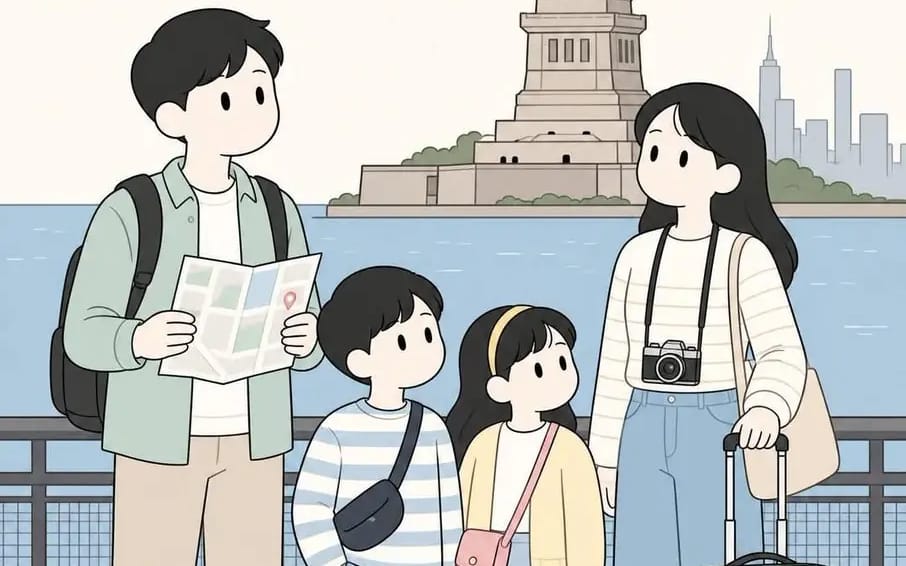
{ "BACKGROUND": "[Location]", "prompt": "Create a soft, minimalist illustration in a clean Korean webtoon style featuring a traveling family consisting of two parents and two children. The family should be standing together naturally...
プロンプト
{
  "BACKGROUND": "[Location]",

  "prompt": "Create a soft, minimalist illustration in a clean Korean webtoon style featuring a traveling family consisting of two parents and two children. The family should be standing together naturally and interacting with one another while exploring the chosen BACKGROUND location. Leave the exact setting entirely dependent on the user's input.\n\nStyle requirements:\n- Cute, simplified facial features with dot eyes and minimal mouths\n- Thin, clean line art\n- Soft pastel color palette with muted beige, sage green, dusty blue, cream, and light pink tones\n- Flat shading with subtle depth\n- Rounded character proportions and gentle expressions\n- Cozy, wholesome atmosphere\n- Hand-drawn appearance inspired by modern travel journals and illustrated postcards\n\nCharacter details:\n- Father carrying a backpack and holding a folded map\n- Mother carrying a camera, shoulder bag, or suitcase\n- One boy and one girl wearing comfortable travel clothes\n- Casual walking shoes and small travel accessories\n\nComposition:\n- Full-body vertical composition (4:5 aspect ratio)\n- Family positioned prominently in the foreground\n- Environmental elements placed in the background according to the user's chosen location\n- Plenty of open space around the characters\n- Balanced and uncluttered arrangement\n\nOptional additions:\n- Location title text at the top of the illustration\n- Trees, pathways, water, buildings, mountains, benches, clouds, flowers, or famous landmarks depending on the selected destination\n\nMood: peaceful, nostalgic, family-friendly, warm, and travel-themed."
}このプロンプトの使い方
- 1プロンプトをそのままコピーし、好みのモデルまたは Ideart プロジェクトに貼り付けます。
- 2商品、被写体、対象者、スタイルの詳細を自分のコンテキストに置き換えます。
- 3まず基準結果を生成し、最も強い方向性をキャンペーン、画像セット、動画コンセプトへリミックスします。
このプロンプトから作成
画像 プロンプトを完成したクリエイティブプロジェクトに変換します。
プロンプトを保存し、参照画像やメモを追加して、Ideart に同じクリエイティブスレッドから次の制作ステップを形にさせます。