
画像AI
Class EditorialManifestoPoster: def init(self, topic= TOPIC
class EditorialManifestoPoster: def __init__(self, topic="[TOPIC]", subject="[SUBJECT]"): self.format = "vertical campaign poster / cover art / billboard" self. camera = "low-angle street fashion photography" self.environment =...
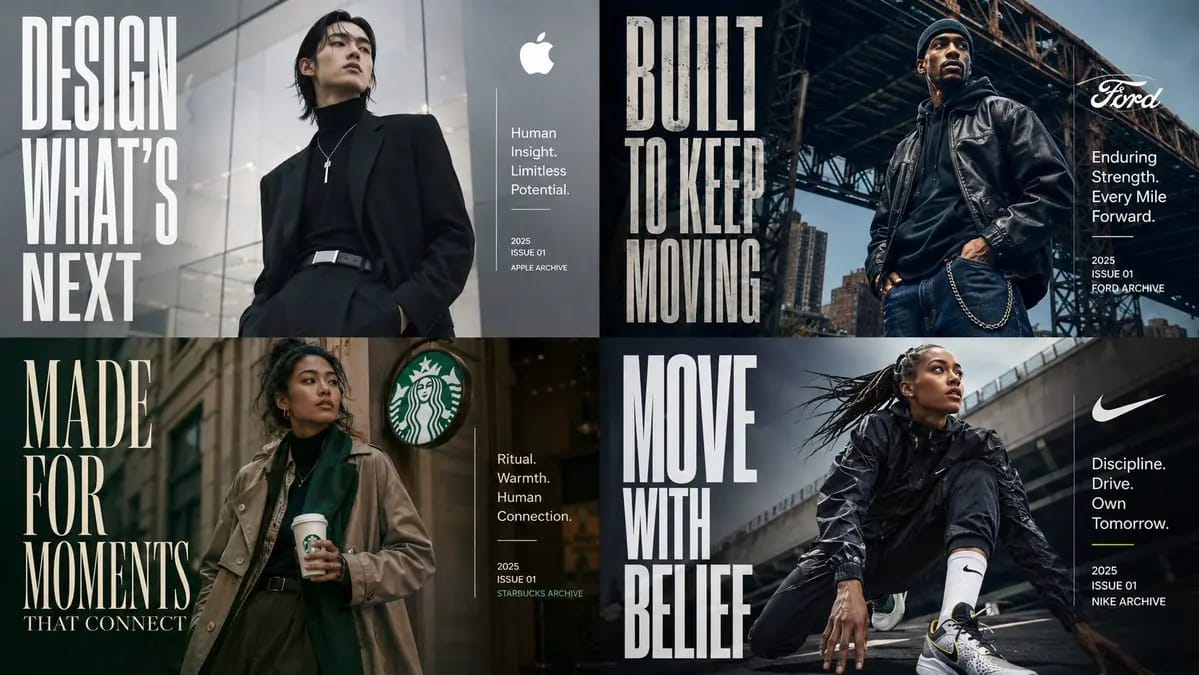
プロンプト
class EditorialManifestoPoster: def __init__(self, topic="[TOPIC]", subject="[SUBJECT]"): self.format = "vertical campaign poster / cover art / billboard" self. camera = "low-angle street fashion photography" self.environment = AI_INFER("an urban setting, architectural backdrop, or contextual environment that fits TOPIC") self.mood = AI_INFER("cinematic, aspirational, future-facing, premium, culturally relevant") def infer_brand_language(self): return { "headline_phrase": AI_INFER("2-5 word manifesto phrase derived from TOPIC"), "subheadline": AI_INFER("short category descriptor or positioning line"), "microcopy": AI_INFER("small supporting descriptors, capabilities, themes, or taglines"), "year_or_drop": AI_INFER("launch year, issue number, season, edition, or archive mark") } def build_visual_hierarchy(self): return """ Place one confident hero subject at center or slightly off-center. Use giant condensed typography as a structural visual element, not just a label. The headline should occupy a large vertical block on one side of the composition. Add a smaller clean info block on the opposite side for title, descriptor, micro-copy, and date. The environment should support the subject and typography without overwhelming them. """ # EXECUTE: # Render TOPIC as a premium editorial poster where the subject physically embodies the brand message. # No hard-coded text, styling, or fashion details unless supplied.このプロンプトの使い方
- 1プロンプトをそのままコピーし、好みのモデルまたは Ideart プロジェクトに貼り付けます。
- 2商品、被写体、対象者、スタイルの詳細を自分のコンテキストに置き換えます。
- 3まず基準結果を生成し、最も強い方向性をキャンペーン、画像セット、動画コンセプトへリミックスします。
このプロンプトから作成
画像 プロンプトを完成したクリエイティブプロジェクトに変換します。
プロンプトを保存し、参照画像やメモを追加して、Ideart に同じクリエイティブスレッドから次の制作ステップを形にさせます。