
画像AI
Class ModernistExhibitionPoster: def init(self
class ModernistExhibitionPoster: def __init__(self, topic="[Topic]"): self .style = "Swiss modernist + Bauhaus editorial poster" self.canvas = "square or vertical poster" self.grid = "strict asymmetric grid with large negative space"...
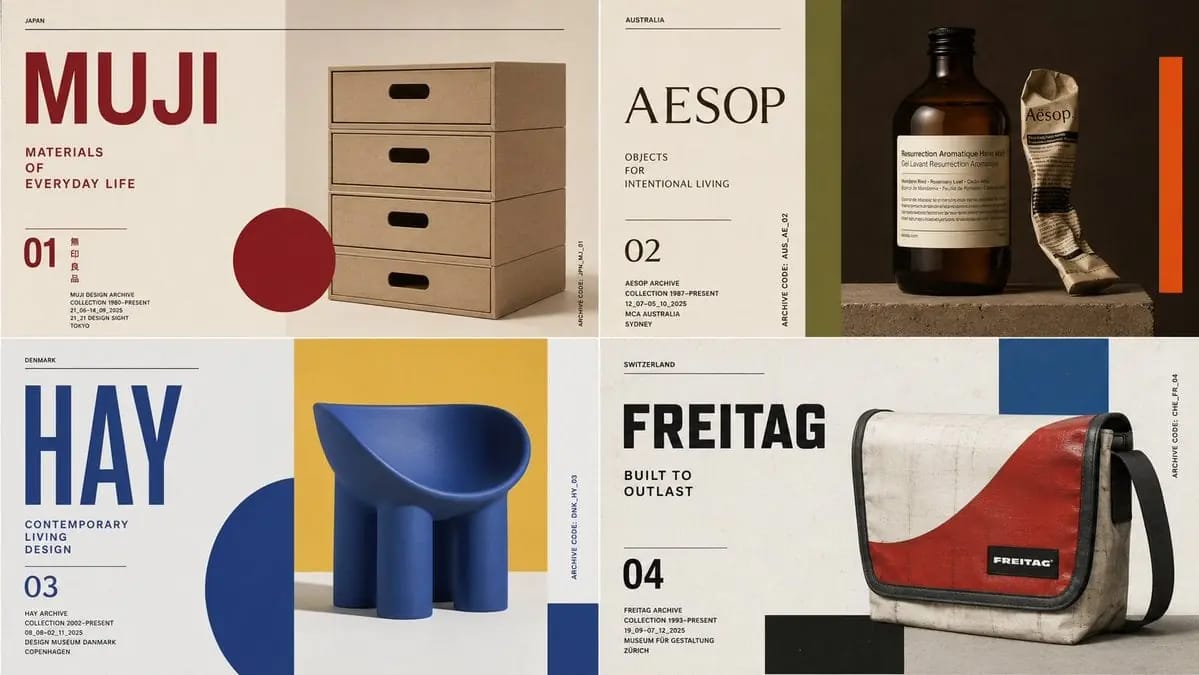
プロンプト
class ModernistExhibitionPoster: def __init__(self, topic="[Topic]"): self .style = "Swiss modernist + Bauhaus editorial poster" self.canvas = "square or vertical poster" self.grid = "strict asymmetric grid with large negative space" self.palette = AI_INFER("3-5 bold colors from topic mood and cultural context") self.typography = "oversized condensed sans or elegant modern serif" def infer_hero_image(self): return AI_INFER( "the most iconic visual representation of TOPIC: portrait, object, silhouette, artifact, architecture, animal, machine, landscape, symbol, or scene" ) def poster_system(self): return { "title": AI_INFER("one short powerful title derived from TOPIC"), "subtitle": AI_INFER("2-5 word exhibition phrase"), "index_number": AI_INFER("series number / chapter mark / archive code"), "microcopy": AI_INFER("small location/date/collection-style text"), "geometry": AI_INFER("rectangles, circles, bars, margins, rules, or blocks that echo TOPIC") } # EXECUTE: # Render TOPIC as a premium modernist exhibition poster. # One dominant hero image + strict grid + bold color geometry + museum-grade typography.このプロンプトの使い方
- 1プロンプトをそのままコピーし、好みのモデルまたは Ideart プロジェクトに貼り付けます。
- 2商品、被写体、対象者、スタイルの詳細を自分のコンテキストに置き換えます。
- 3まず基準結果を生成し、最も強い方向性をキャンペーン、画像セット、動画コンセプトへリミックスします。
このプロンプトから作成
画像 プロンプトを完成したクリエイティブプロジェクトに変換します。
プロンプトを保存し、参照画像やメモを追加して、Ideart に同じクリエイティブスレッドから次の制作ステップを形にさせます。