
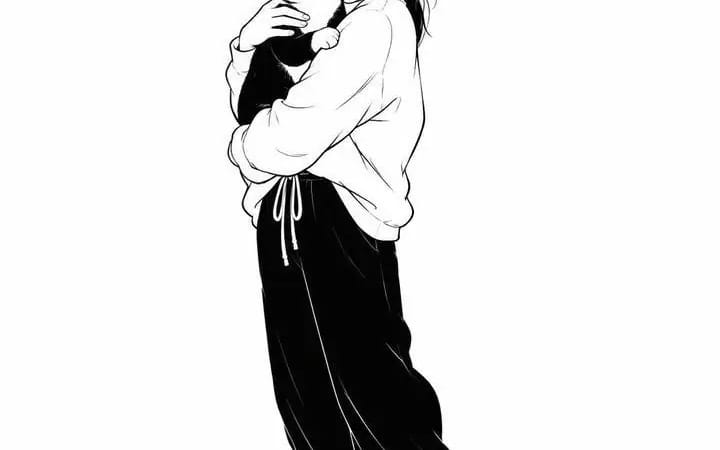
Minimalistic black and white editorial illustration
Minimalistic black and white editorial illustration of a character from an attached photo on a pure white background with plenty of negative space. The character occupies approximately 30-40% of the frame. Stylized proportions with a...
プロンプト
Minimalistic black and white editorial illustration of a character from an attached photo on a pure white background with plenty of negative space. The character occupies approximately 30-40% of the frame. Stylized proportions with a slightly enlarged head, simplified facial features, small dotted eyes, expressive eyebrows, a tiny nose, and a barely noticeable friendly smile. Casual casual streetwear with voluminous silhouettes, massive sneakers, simple accessories and a casual manner. It is drawn with clear, confident lines in black ink with varying line densities, rounded contours, soft, sketch-like defects and expressive hand-drawn strokes. Use only solid black and white, without shades of gray, without colors or gradients. The clothes use large black shapes contrasting with white fabric, minimal creases, simple contour lines and sparse shading. Add only a soft shadow from the ground under your feet. The composition is placed in the center with wide white margins, which creates a modern editorial look. The background remains completely blank, except for a barely noticeable floor line or shadow. The overall aesthetic is reminiscent of the illustrations of modern indie webcomics, Scandinavian editorial drawings, playful character design style and clear vector ink sketches. High resolution, clear lines, minimalistic, expressive, stylish, charming, hand-drawn, 2D illustration, monochrome, without background elements, aspect ratio 4:5.
このプロンプトの使い方
- 1プロンプトをそのままコピーし、好みのモデルまたは Ideart プロジェクトに貼り付けます。
- 2商品、被写体、対象者、スタイルの詳細を自分のコンテキストに置き換えます。
- 3まず基準結果を生成し、最も強い方向性をキャンペーン、画像セット、動画コンセプトへリミックスします。
このプロンプトから作成
画像 プロンプトを完成したクリエイティブプロジェクトに変換します。
プロンプトを保存し、参照画像やメモを追加して、Ideart に同じクリエイティブスレッドから次の制作ステップを形にさせます。