
ImageAI
Class EditorialManifestoPoster: def init(self, topic= TOPIC
class EditorialManifestoPoster: def __init__(self, topic="[TOPIC]", subject="[SUBJECT]"): self.format = "vertical campaign poster / cover art / billboard" self. camera = "low-angle street fashion photography" self.environment =...
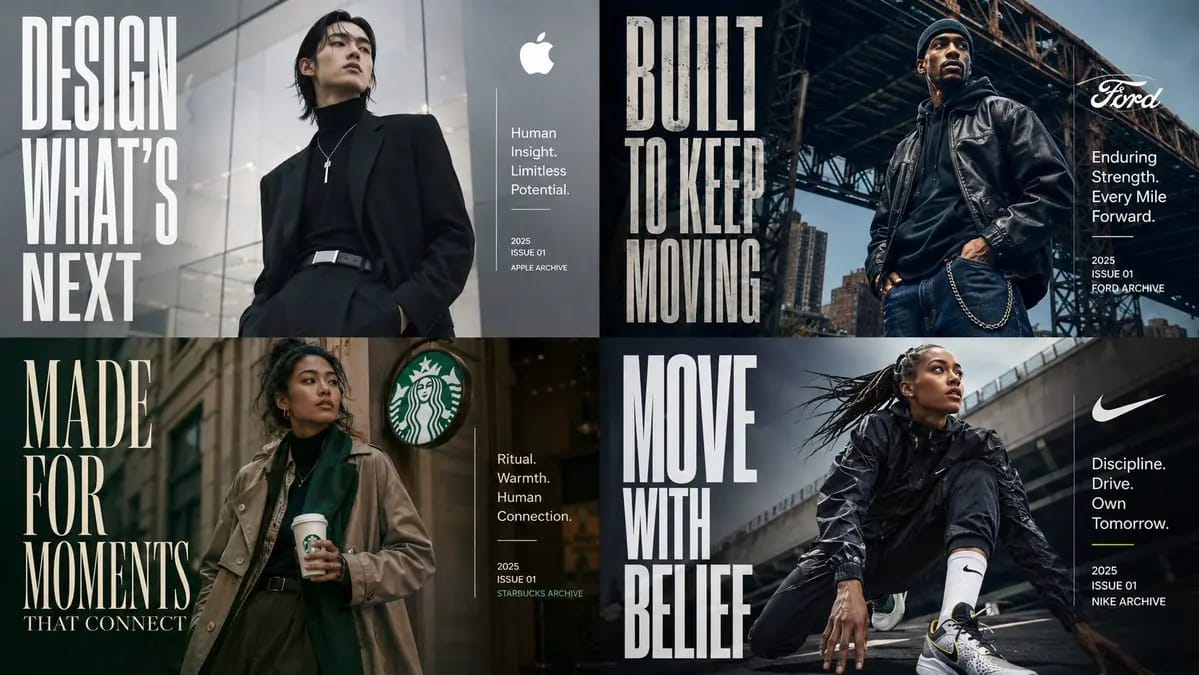
Prompt
class EditorialManifestoPoster: def __init__(self, topic="[TOPIC]", subject="[SUBJECT]"): self.format = "vertical campaign poster / cover art / billboard" self. camera = "low-angle street fashion photography" self.environment = AI_INFER("an urban setting, architectural backdrop, or contextual environment that fits TOPIC") self.mood = AI_INFER("cinematic, aspirational, future-facing, premium, culturally relevant") def infer_brand_language(self): return { "headline_phrase": AI_INFER("2-5 word manifesto phrase derived from TOPIC"), "subheadline": AI_INFER("short category descriptor or positioning line"), "microcopy": AI_INFER("small supporting descriptors, capabilities, themes, or taglines"), "year_or_drop": AI_INFER("launch year, issue number, season, edition, or archive mark") } def build_visual_hierarchy(self): return """ Place one confident hero subject at center or slightly off-center. Use giant condensed typography as a structural visual element, not just a label. The headline should occupy a large vertical block on one side of the composition. Add a smaller clean info block on the opposite side for title, descriptor, micro-copy, and date. The environment should support the subject and typography without overwhelming them. """ # EXECUTE: # Render TOPIC as a premium editorial poster where the subject physically embodies the brand message. # No hard-coded text, styling, or fashion details unless supplied.How to use this prompt
- 1Copy the prompt exactly, then paste it into your preferred model or Ideart project.
- 2Replace product, subject, audience, and style details with your own context.
- 3Generate one baseline result first, then remix the strongest direction into a campaign, image set, or video concept.
Explore nearby prompt paths
Model
Categories
Build from this prompt
Turn a image prompt into a finished creative project.
Save the prompt, add reference images or notes, and let Ideart shape the next production step from the same creative thread.