
ImageAI
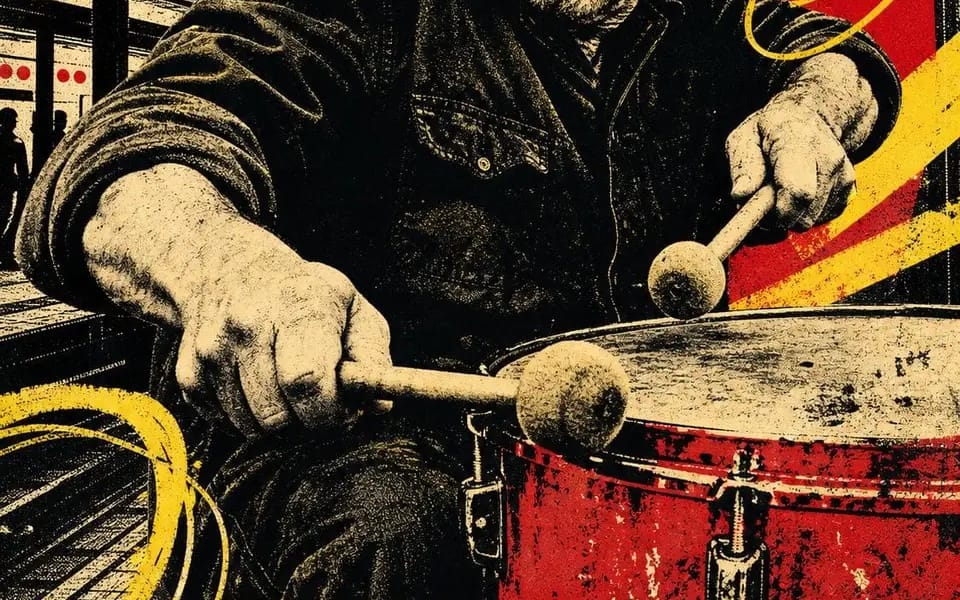
Four-ink screen print
Four-ink screen print. Four people still working after everyone left. CITY BEAT — night session 02 OPEN SIGNAL — channel 08 / all night HIVE MIND — rooftop batch 07 FULL TORQUE — shift 04 / open late Locked: – four inks total: bone...
Prompt
Four-ink screen print. Four people still working after everyone left.

CITY BEAT — night session 02
OPEN SIGNAL — channel 08 / all night
HIVE MIND — rooftop batch 07
FULL TORQUE — shift 04 / open late

Locked:
– four inks total: bone paper, black, scarlet, chrome yellow. Nothing else.
– the portrait is posterized to black halftone — no greys anywhere, only dots
– one flat red shape behind the head, doing the job of a spotlight
– yellow diagonal bars plus loose hand-drawn loops scrawled over the image
– city silhouettes filling the gaps: pillars, water towers, cranes, skyline
– a full-width yellow band at the foot, two words in heavy black condensed caps, cropped by both edges
– one hand-lettered line beneath — a shift, a channel, a batch, a number
– one small hand-drawn glyph: spiral, target, hexagon, bolt
– misregistration, starved ink, paper grain. It should look pulled, not rendered.

Swaps: [Trade] / [Two Word Title] / [Red Shape] / [Scrawl] / [Glyph] / [Shift Number]
How to use this prompt
- 1Copy the prompt exactly, then paste it into your preferred model or Ideart project.
- 2Replace product, subject, audience, and style details with your own context.
- 3Generate one baseline result first, then remix the strongest direction into a campaign, image set, or video concept.
Explore nearby prompt paths
Model
Build from this prompt
Turn a image prompt into a finished creative project.
Save the prompt, add reference images or notes, and let Ideart shape the next production step from the same creative thread.