
ImageGPT Image 2
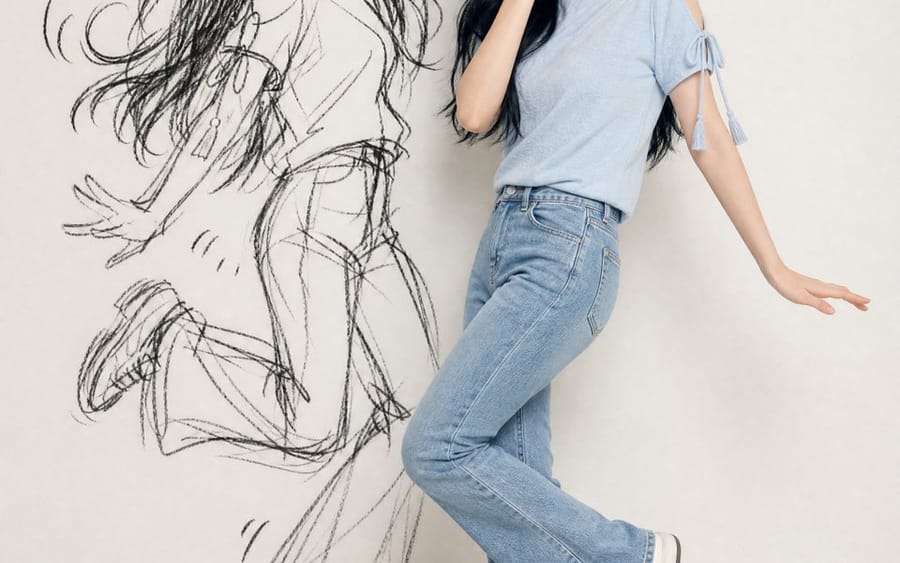
Ink-Twin Doodle Stylization
A structured JSON-based prompt for stylizing an image with an 'ink-twin' doodle character mimicking the main subject's pose.
Prompt
{
  "identity_ref": {
    "source": "uploaded photo",
    "lock": ["face", "eyes/nose/mouth", "skin tone", "hair (length/texture/color)", "accessories", "exact outfit"],
    "rule": "no invented details"
  },
  "composition": {"format": "vertical 4:5/9:16", "figures": ["real subject", "ink-twin doodle"], "layout": "side by side, poses fully visible"},
  "real_subject": {"style": "photoreal, full-body", "outfit": "match reference exactly", "expression": "playful, embarrassed, caught-out charm", "pose": "natural, toned-down version"},
  "ink_twin": {
    "style": "rough black sketch/charcoal doodle on wall",
    "recognizability": "silhouette only (hair/outfit/pose shape)",
    "avoid": ["realistic 2nd person", "flat shadow", "color cartoon"],
    "energy": "amplified, chaotic vs real subject",
    "extras": "optional sparse comic marks (motion lines/star/heart)"
  },
  "pose_rule": {
    "instruction": "new playful/mischievous shared pose each time",
    "avoid": ["pointing", "finger-guns", "mirrored/repeated poses"],
    "relationship": "subject = subtle version; twin = amplified cartoon version, same beat"
  },
  "setting": {"background": "clean minimal wall (white/cream/gray)", "lighting": "soft, even, daylight-style, face visible"},
  "mood": "playful, stylish, chaotic-fun, shareable",
  "negative_prompt": [
    "invented appearance", "outfit changes", "twin as real 2nd person",
    "flat/creepy shadow", "color cartoon twin", "weak resemblance",
    "clutter", "repeated/stiff/mirrored poses", "text", "watermark",
    "extra limbs", "bad hands"
  ]
}How to use this prompt
- 1Copy the prompt exactly, then paste it into your preferred model or Ideart project.
- 2Replace product, subject, audience, and style details with your own context.
- 3Generate one baseline result first, then remix the strongest direction into a campaign, image set, or video concept.
Explore nearby prompt paths
Model
Build from this prompt
Turn a image prompt into a finished creative project.
Save the prompt, add reference images or notes, and let Ideart shape the next production step from the same creative thread.