
ImageGPT Image 2
Retro Pixel Art Profile Picture
Creates a retro 16-bit or 32-bit pixel art profile picture from an uploaded reference image, maintaining the original pose and composition.
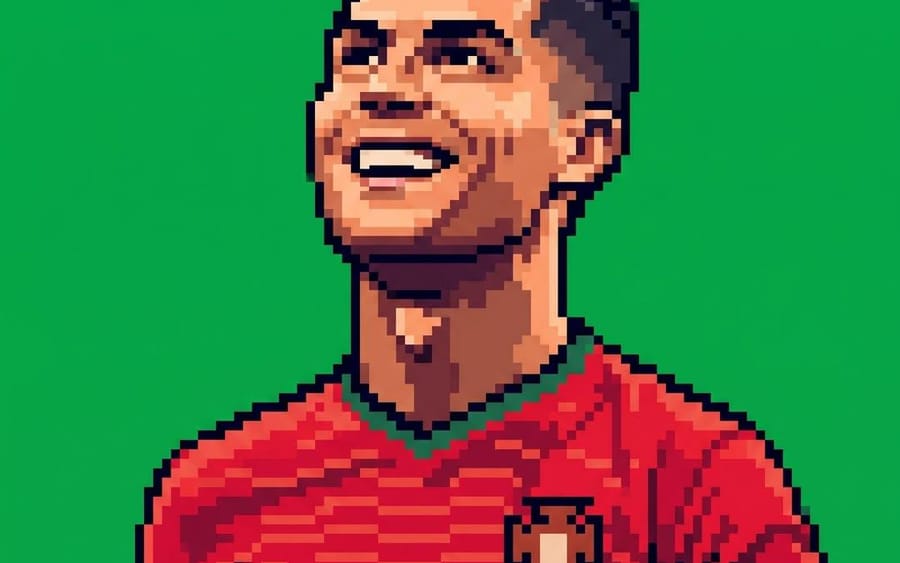
Prompt
Create a square 1:1 profile picture using the uploaded image as the exact reference for the pose, composition, and pixel art style. Recreate the subject as detailed retro pixel art with large, clearly visible pixels, crisp stepped edges, bold dark outlines, dramatic pixelated shading, vibrant colors, and the sharp look of a classic 16-bit/32-bit arcade sprite. Use only a solid {argument name="background color" default="Pantone 354C green"} background ({argument name="hex code" default="#00B140"}). Do not include gradients, textures, text, logos, extra objects, or any photorealistic elements. Keep the raised glove, facial features, framing, and overall style exactly the same as in the reference image.How to use this prompt
- 1Copy the prompt exactly, then paste it into your preferred model or Ideart project.
- 2Replace product, subject, audience, and style details with your own context.
- 3Generate one baseline result first, then remix the strongest direction into a campaign, image set, or video concept.
Explore nearby prompt paths
Model
Build from this prompt
Turn a image prompt into a finished creative project.
Save the prompt, add reference images or notes, and let Ideart shape the next production step from the same creative thread.