
ImageGPT Image 2
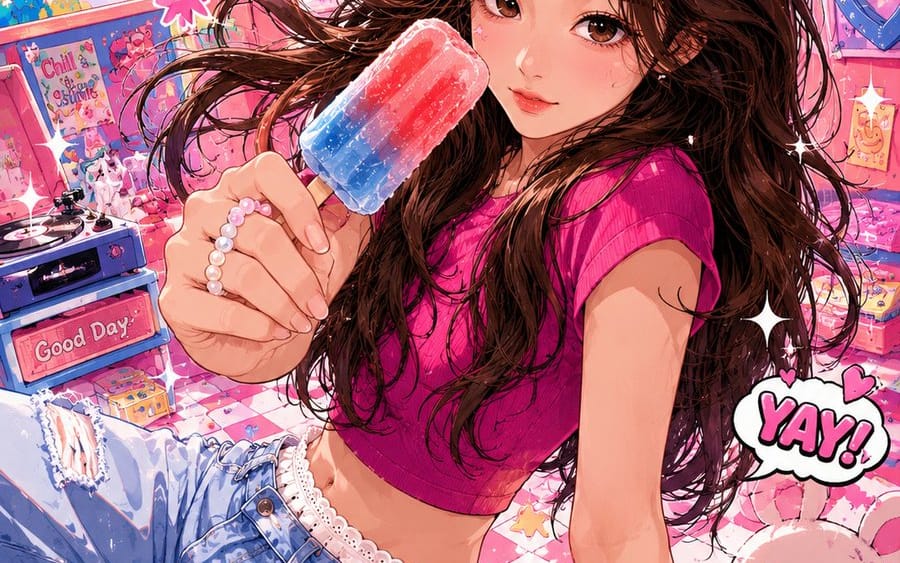
Vibrant Trendy Anime Illustration Transform
A creative prompt that transforms real photos into high-saturation, vibrant anime-style posters with exaggerated poses and imaginative backgrounds.
Prompt
Title: Vibrant Trendy Anime Illustration Transform
Description: A creative prompt that transforms real photos into high-saturation, vibrant anime-style posters with exaggerated poses and imaginative backgrounds.
Content: Please create a high-saturation trendy anime illustration based on the user's uploaded everyday photo. Retain the basic recognizability of the character, including face shape, facial feature relationships, basic hairstyle, and overall temperament, but the overall must be clearly anime-styled and non-realistic. The art style references lively and quirky popular anime illustrations: confident and strong lines with slight variations in thickness; coloring uses simple cel shading with large color blocks and shadows; colors should be bright, highly saturated, and high contrast. Character expressions and actions can be boldly exaggerated, with simplified facial features that have more emotional tension, and limbs and perspective can allow for moderate stretching and deformation. The scene can deviate from the original photo for free imagination, reconstructing it into a cartoon world with interesting wide-angle perspectives and slight spatial deformations, incorporating elements like stickers, hearts, stars, onomatopoeia, speech bubbles, small animals, or fun props. The overall composition should be dynamic, lively, humorous, and impactful, like a vibrant trendy anime poster.
How to use this prompt
- 1Copy the prompt exactly, then paste it into your preferred model or Ideart project.
- 2Replace product, subject, audience, and style details with your own context.
- 3Generate one baseline result first, then remix the strongest direction into a campaign, image set, or video concept.
Explore nearby prompt paths
Model
Build from this prompt
Turn a image prompt into a finished creative project.
Save the prompt, add reference images or notes, and let Ideart shape the next production step from the same creative thread.