
ImageGPT Image 2
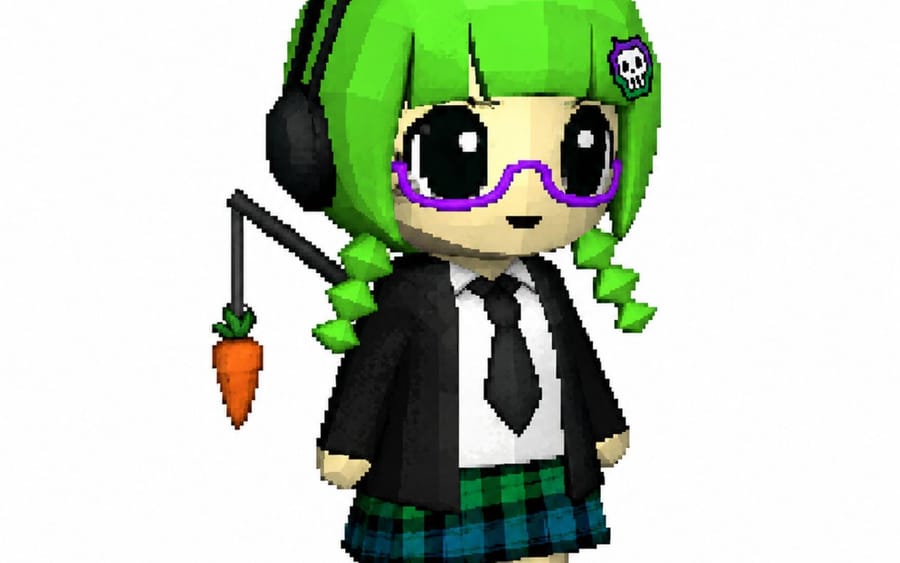
Voxel Chibi Cat-Ear Girl
Generates a cute voxel-style chibi avatar with neon hair, cat-ear headphones, glasses, school uniform, and a dangling carrot accessory.
Prompt
Create a single full-body chibi character render in a chunky low-poly voxel/pixel-art 3D style on a plain white background. The character is a cute petite girl avatar with an oversized head, tiny body, pale skin, huge glossy black eyes with white highlights, a small neutral mouth, and bright {argument name="hair color" default="neon green"} bobbed hair with straight bangs and two short segmented spiral pigtails. She wears large black cat-ear headphones with pointed ears, plus a small skull hair clip on the right side of her bangs. Add oversized purple rounded glasses. Her outfit is a school-uniform-inspired look: black blazer, white shirt, black necktie, green-and-blue plaid skirt, white socks, and black shoes. Behind her on the left side, attach a thin black fishing-rod-like stick or dangling accessory holding exactly 1 small orange carrot with green leaves, hanging beside her head. Pose her standing upright facing slightly to the viewer’s right with arms down, feet close together, cute toy-like proportions. Use visible square pixels, blocky edges, simple flat lighting, subtle ambient shadow, crisp silhouette, and a clean isolated character-design presentation.How to use this prompt
- 1Copy the prompt exactly, then paste it into your preferred model or Ideart project.
- 2Replace product, subject, audience, and style details with your own context.
- 3Generate one baseline result first, then remix the strongest direction into a campaign, image set, or video concept.
Explore nearby prompt paths
Model
Build from this prompt
Turn a image prompt into a finished creative project.
Save the prompt, add reference images or notes, and let Ideart shape the next production step from the same creative thread.