
ImageGPT Image 2
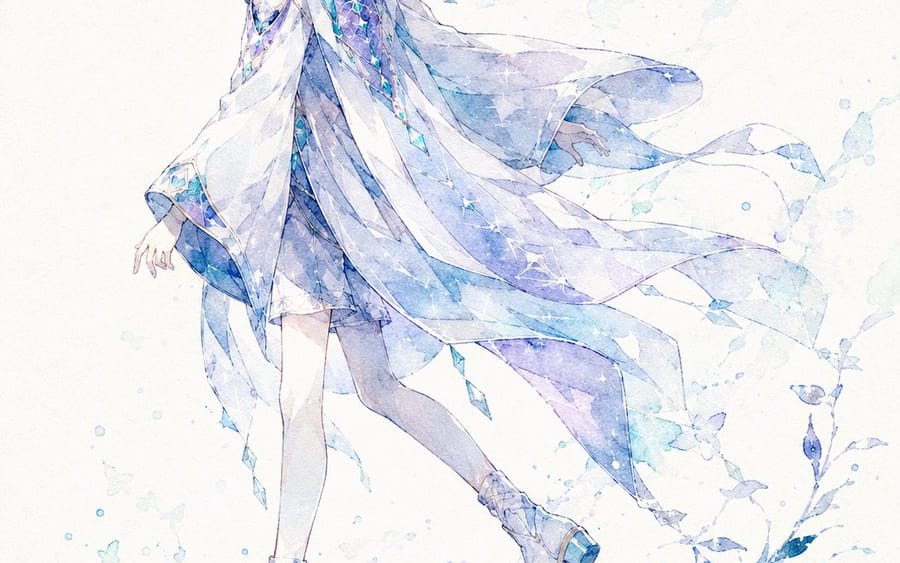
Watercolor Silhouette Character Story
An extensive prompt for transforming character images into poetic watercolor shadow-style illustrations with titles.
Prompt
{"title":"Watercolor Silhouette Character Story","description":"An extensive prompt for transforming character images into poetic watercolor shadow-style illustrations with titles.","content":"【Information Entry Field】\n\nCharacter Name: [{argument name=\"character name\" default=\"\"}] (Required)\n\nPose Number: [{argument name=\"pose number\" default=\"0\"}] (Optional: Select from 0-10, auto-generated if blank)\n\nAdditional Notes: [{argument name=\"additional notes\" default=\"\"}] (Enter anything specific you want to tell the AI)\n\n-----------------\n\nIf there are any inputs in the Additional Notes, please prioritize reflecting that content. If there is a contradiction between the Additional Notes and the main instructions, prioritize the content of the Additional Notes, while maintaining the basic taste of "shadow-style, watercolor, emphasis on negative space, poetic single illustration."\n\nAnalyze the attached image of "my child" and generate a high-quality 2D animation-style illustration as [Character Name], capturing the hairstyle, hair color, eye details, clothing, decorations, accessories, racial features, motifs, personality, and atmosphere.\n\nThe completed image should be a "shadow-style, watercolor, poetic single illustration" where the character's presence quietly emerges on white to off-white paper. It should not be a typical detailed character standing illustration, but rather focus on silhouettes, soft bleeding, negative space, paper texture, and a quiet narrative.\n\nAdopt the pose specified by [Pose Number]. If the pose number is blank or 0, the AI should naturally choose one pose from 1 to 10 that best fits the character's appearance, personality, and motif. Ensure that the composition, direction, and impression change with each pose number, making it look like a different illustration even for the same character.\n\nDo not fix the image color. The AI should analyze the attached "my child"'s hair color, eye color, clothing, decorations, motifs, and atmosphere comprehensively to determine the most suitable main color. Avoid being influenced by the colors of example or reference images, and summarize in colors that match the character's impression. For a character with red tones, use red to purple tones; for blue tones, use blue to light blue tones; for green tones, use green to light green tones; for white tones, use white to light colors; for black tones, use black to gray tones; for gold tones, use gold to amber tones, etc., selecting colors that naturally fit the character.\n\nFor the color scheme, elegantly summarize around the chosen main color using dark shadow colors, soft watercolor bleeding, and very light accent colors. Avoid extreme use of multiple colors, aiming for a quiet color palette that blends the character's impression into the paper.\n\nCharacter features should not be overly detailed in the face or clothing. Ensure that the hairstyle outline, clothing shape, and symbolic features such as horns, ears, wings, tails, ribbons, hats, weapons, flowers, and accessories are recognizable as silhouettes. Expressions should not be overly detailed; convey the character's essence through silhouette and atmosphere.\n\nThe background should retain the texture of white to off-white paper, utilizing wide negative space. Place minimal watercolor bleeding, soft plant shadows, flower petals, feathers, fabric, stardust, and light particles around the character's feet or behind them to create a scene that evokes a quiet breeze or narrative aftertaste. Avoid over-drawing the background, keeping specific backgrounds like forests or buildings faint and understated.\n\nThe image title should be automatically created by the AI using short, beautiful words based on the character's appearance, atmosphere, motif, and image color. Place the AI-generated image title and [Character Name] in the upper right or in a position that does not interfere with the negative space.\n\nEnsure the title and character name are not too faint. The text color should be a darker shade selected from the illustration's main color or a sufficiently readable dark color against the background. Maintain a balance in transparency, ensuring it blends with the paper texture while being easily readable. The text should have an elegant title logo style, adorned with thin decorative lines, delicate flowers, leaves, light particles, and small motifs, but should not stand out more than the main character.\n\nOnly refer to the direction of "shadow-style, watercolor, negative space, paper texture, poetic title, quiet atmosphere". Do not replicate the same composition, pose, object arrangement, colors, character placement, or the scattering of leaves and flowers from specific posted images.\n\nThe overall impression should emphasize tranquility, negative space, shadow, watercolor paper, soft bleeding, poetry, elegance, and transience. Avoid flashy backgrounds, typical beautiful fantasy standing illustrations, excessive detailing, strong effects, and unrelated color specifications.\n\nStyle: High-quality 2D animation\n\nAspect Ratio: 3:4"}How to use this prompt
- 1Copy the prompt exactly, then paste it into your preferred model or Ideart project.
- 2Replace product, subject, audience, and style details with your own context.
- 3Generate one baseline result first, then remix the strongest direction into a campaign, image set, or video concept.
Explore nearby prompt paths
Model
Build from this prompt
Turn a image prompt into a finished creative project.
Save the prompt, add reference images or notes, and let Ideart shape the next production step from the same creative thread.