
ImageNano Banana Pro
Whimsical Flat Illustration Generator
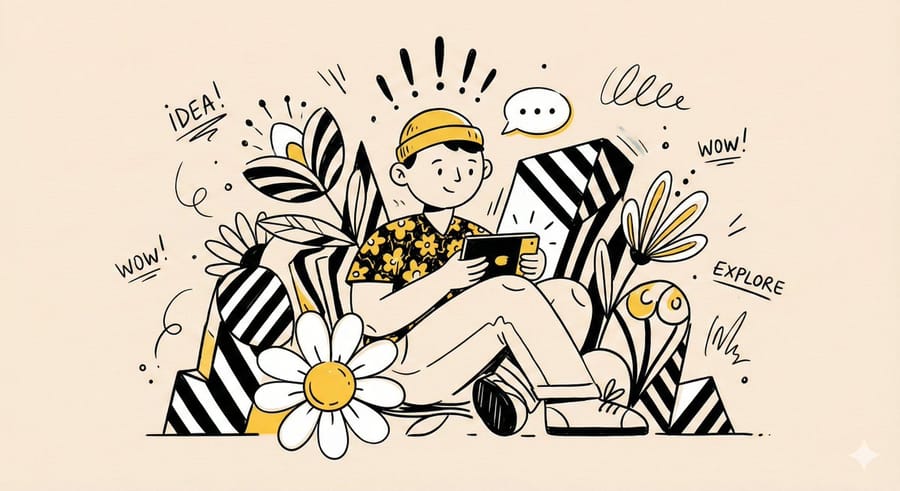
A template prompt for generating whimsical, playful, and abstract illustrations featuring a central character with simplified features, surrounded by oversized shapes and decorative graphic elements, using clean linework and a limited, bold color palette.
Prompt
“Create a whimsical, playful illustration featuring {argument name="character subject" default="[CHARACTER / SUBJECT]"} as the central focus.
The character is drawn with simplified features, a small rounded head, and minimal facial detail, wearing {argument name="headwear clothing" default="[HEADWEAR / CLOTHING DESCRIPTION]"}.

They are positioned among oversized abstract shapes and organic elements such as [FLORAL / SYMBOLIC OBJECTS], creating a sense of imaginative scale. The character is interacting with [OBJECT / ACTION], adding narrative interest.

Decorative graphic elements like [SYMBOLS: exclamation points, speech bubbles, scribbles, notes, etc.] float around the subject to enhance expression and energy.

Use clean, simple linework and a limited color palette of {argument name="primary colors" default="[PRIMARY COLORS]"}, keeping the illustration bold and cohesive. The background is a soft neutral tone such as beige or off-white. The overall style is modern, flat, and illustrative, with a lively, creative, and slightly abstract atmosphere.”3e:THow to use this prompt
- 1Copy the prompt exactly, then paste it into your preferred model or Ideart project.
- 2Replace product, subject, audience, and style details with your own context.
- 3Generate one baseline result first, then remix the strongest direction into a campaign, image set, or video concept.
Explore nearby prompt paths
Model
Build from this prompt
Turn a image prompt into a finished creative project.
Save the prompt, add reference images or notes, and let Ideart shape the next production step from the same creative thread.