
ImageNano Banana Pro
Zhao Lusi Red Carpet Gothic Chic Portrait
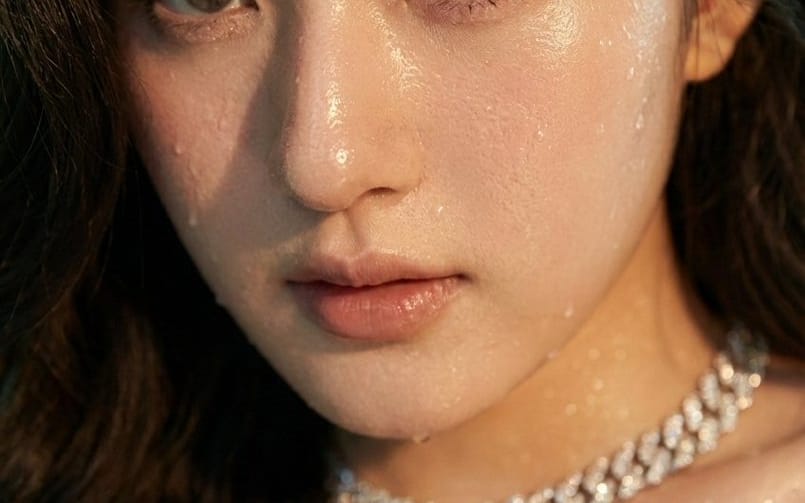
A structured prompt for generating a photorealistic image of Chinese actress Zhao Lusi (Rosy Zhao) on a high-profile red carpet, emphasizing a gothic chic style, a dramatic black lace gown, and hyper-detailed skin texture with subtle moisture highlights.
Prompt
{
  "subject": {
    "name": "{argument name="celebrity name" default="Zhao Lusi"}",
    "aliases": ["Rosy Zhao"],
    "profession": "Chinese actress",
    "pose": "graceful, waving both hands",
    "expression": "gentle, confident smile",
    "style": ["gothic chic", "youthful elegance"]
  },
  "appearance": {
    "hair": {
      "color": "dark",
      "style": "voluminous waves framing face"
    },
    "makeup": {
      "eyes": "defined",
      "lips": "soft color",
      "skin": {
        "tone": "luminous white",
        "details": "realistic sweat sheen, subtle moisture highlights on collarbones, shoulders, and cheekbones, natural skin texture visible, pores and micro-detail intact",
        "lighting": "reacts dynamically to cinematic lighting"
      }
    },
    "jewelry": [
      "chunky diamond-encrusted necklace",
      "matching bracelet"
    ]
  },
  "outfit": {
    "gown": {
      "color": "black",
      "bodice": "corset-style, very thin spaghetti straps, central bow detail, sheer midriff paneling",
      "skirt": "multi-layered ruffled lace, dramatic flowing silhouette"
    },
    "footwear": "high-platform black satin sandals"
  },
  "setting": {
    "event_type": "high-profile red carpet",
    "backdrop": "formal media wall typical of Chinese awards ceremonies or fashion galas",
    "sponsors": ["Weibo", "iQIYI", "Mango TV", "Qeelin", "Volvo"],
    "signatures": "golden scrawls of attending celebrities"
  },
  "image_properties": {
    "width": 504,
    "height": 1002,
    "orientation": "vertical"
  }
}How to use this prompt
- 1Copy the prompt exactly, then paste it into your preferred model or Ideart project.
- 2Replace product, subject, audience, and style details with your own context.
- 3Generate one baseline result first, then remix the strongest direction into a campaign, image set, or video concept.
Explore nearby prompt paths
Model
Build from this prompt
Turn a image prompt into a finished creative project.
Save the prompt, add reference images or notes, and let Ideart shape the next production step from the same creative thread.