
VideoSeedance 2.0
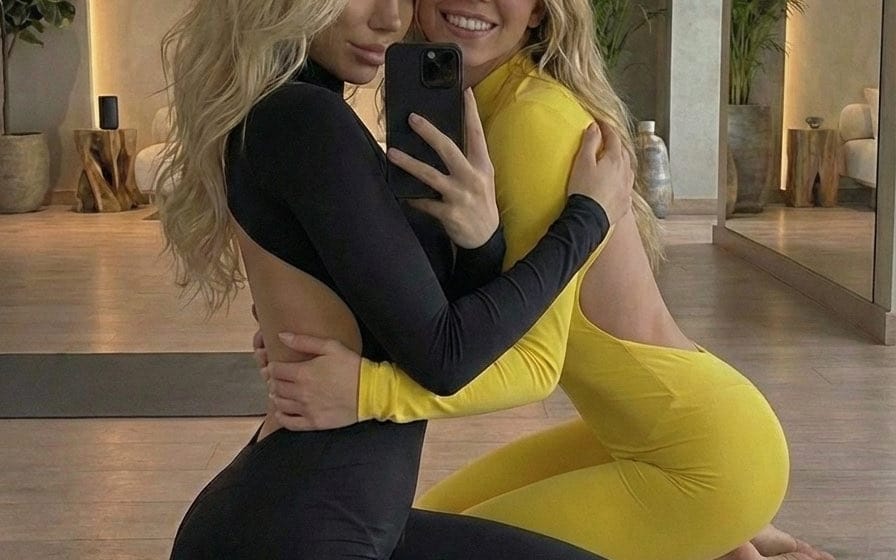
Sydney Sweeney Casual Floor Hang Mirror Selfie
A highly detailed JSON prompt for generating an ultra-photorealistic mirror selfie featuring two blonde women, one resembling Sydney Sweeney, kneeling and embracing on a wooden floor in a luxury studio. The prompt focuses on warm, intimate lighting, realistic textures, and candid smartphone photography style.
Prompt
Sydney Sweeney Casual Floor Hang Mirror Selfie

A highly detailed JSON prompt for generating an ultra-photorealistic mirror selfie featuring two blonde women, one resembling Sydney Sweeney, kneeling and embracing on a wooden floor in a luxury studio. The prompt focuses on warm, intimate lighting, realistic textures, and candid smartphone photography style.

Japanese Full Color 2D Animation, ultra-fast cuts, dynamic speed ramps, a high number of frames, 24FPS, anime music video, multi-shot, high-definition animation, clean cell shading, cinematic lighting, impressive camera work, bold angles, pop and cute direction.

○○ is a quiet and gentle girl, ○○2 is the same person as ○○.
Transformation bank video, sparkling effects, light ribbons in blue and pink.

0:00-0:03 ○○ spins once on the spot, enveloped in light effects, becoming a silhouette of light in human form.
0:03-0:05 The light silhouette spreads its hair with both hands, causing the light to burst and ○○2's hair to appear.
0:05-0:07 A close-up of the light silhouette's feet, tapping its toes in rhythm, causing the light to burst and ○○2's shoes to appear.
0:07-0:09 The camera pans up as the light silhouette spins, causing the light to burst and ○○2's skirt to appear.
0:09-0:11 Then, a light ribbon wraps around one arm and bursts, showing ○○2's sleeves on both the right and left arms.
0:11-0:12 Light effects gather at ○○2's chest, and the ribbon and frills at the neckline appear with a burst of light, bouncing vigorously.
0:12-0:14 The camera zooms out quickly, showing that the transformation is complete.
0:14-0:15 A close-up of ○○2's face, shyly smiling and striking a pose.
How to use this prompt
- 1Copy the prompt exactly, then paste it into your preferred model or Ideart project.
- 2Replace product, subject, audience, and style details with your own context.
- 3Generate one baseline result first, then remix the strongest direction into a campaign, image set, or video concept.
Explore nearby prompt paths
Model
Categories
Build from this prompt
Turn a video prompt into a finished creative project.
Save the prompt, add reference images or notes, and let Ideart shape the next production step from the same creative thread.