
Portrait Image to Video
Two men embracing each other in the frame.
AI video creation
Turn static images into cinematic AI videos with motion, camera direction, and optional prompts.
Image to video workflow
The migrated page keeps the old visual affordance: source media, motion direction, quality mode, and generated video context are visible before the user opens the full studio.

Upload a photo, describe the motion you want, and Ideart helps transform the image into a short video ready for social posts, ads, product demos, and creative experiments.
Use the tool as a repeatable creative workflow: choose a strong input, describe the change clearly, then review and iterate.
Use a sharp portrait, product image, character render, or campaign visual. A clean subject and readable background give the video model stronger visual anchors.
Prompts work best when they include camera movement, subject action, mood, and pacing. For example: slow push-in, hair moving in the wind, cinematic light, soft background motion.
Check identity, hands, product edges, and background stability before iterating. Small prompt changes usually work better than rewriting everything.
Watch how our AI transforms static images into stunning, lifelike videos with natural motion and cinematic quality.
Two men embracing each other in the frame.
Camera slowly moves toward a woman standing in a sunlit field, her hair gently swaying in the breeze.
A model strides elegantly down the catwalk, the fabric of her dress flowing with each confident step.
Whether you're a marketer, content creator, e-commerce seller, or real estate agent, our image to video AI helps you create captivating videos from still images in seconds.
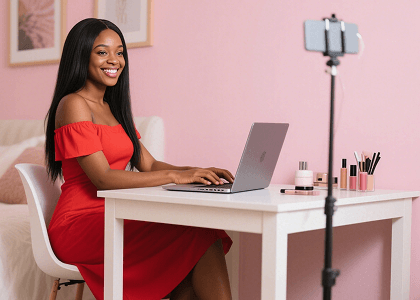
For Marketers
Turn your product photos and brand images into eye-catching video ads that capture attention and drive conversions. Create scroll-stopping social ads, email marketing videos, and promotional content without expensive video production.

For Content Creators
Convert your photos into engaging short-form videos perfect for TikTok, Instagram Reels, and YouTube Shorts. Stand out in crowded feeds with dynamic video content that boosts engagement and grows your following.

For E-commerce
Transform static product images into dynamic video showcases that highlight product features from every angle. Increase buyer confidence and conversion rates by bringing your product catalog to life.
For Real Estate
Bring property photos to life with smooth camera movements and cinematic transitions. Create immersive virtual tours that help potential buyers experience properties remotely and make faster decisions.
Powered by cutting-edge AI models, our image to video tool delivers professional-quality video generation with intelligent motion, stunning detail, and complete creative control.
Our AI analyzes your image content and applies natural, physically accurate motion to every element. People breathe and blink, water flows, and clouds drift - all with realistic physics.
Describe exactly how you want your image to move using simple text prompts. Control camera angles, subject motion, and scene dynamics with precise natural language instructions.
Generate crisp, high-resolution videos up to 4K quality. Every frame maintains the detail and clarity of your original image, perfect for professional and commercial use.
Choose from cinematic, subtle, dramatic, or custom animation styles. Whether you need gentle product rotations or dynamic action sequences, we have the right style for your project.
Process multiple images at once to create a series of videos efficiently. Perfect for e-commerce catalogs, social media campaigns, or any project requiring bulk video generation.
Our AI automatically identifies subjects, backgrounds, and objects in your image to apply appropriate motion to each element independently, creating more natural and convincing results.
All generated videos come with full commercial usage rights. Use them freely in ads, social media, websites, presentations, and any other business or personal projects.
Integrate our image to video AI directly into your workflow with our developer-friendly API. Build custom applications, automate video generation, and scale your content production.
This image to video tool has revolutionized our social media strategy. We've seen 300% increase in engagement since we started converting our product images to videos.
As a photographer, being able to bring my images to life with video is game-changing. The AI understands exactly how to animate my photos naturally.
Converting our product images to videos increased our conversion rate by 45%. This image to video AI pays for itself many times over.
Turn any image into a dynamic video in just 3 simple steps - no video editing skills required!
Upload any image you want to animate. Our AI supports all common formats including JPG, PNG, and WebP. For best results, use high-resolution images with clear subjects.
Enter a text prompt describing how you want the image to move. Specify camera movements, subject animations, or environmental effects to guide the AI generation.
Click generate and watch your image come to life in seconds. Preview the result, make adjustments if needed, and download your video in high quality MP4 format.
Join 500,000+ creators using our image to video AI to transform static images into stunning, engaging videos in seconds.
It means using an AI video model to add motion, camera movement, and temporal detail to a still image.
Yes. A short prompt can describe the movement, style, mood, and camera direction you want.
Use images with one clear subject, good lighting, and enough space around the person, object, or character for natural movement.
Large motion requests, blurry inputs, and complex backgrounds can make the model reinterpret details. Try a cleaner image and a more focused motion prompt.
Image to video AI is a technology that uses artificial intelligence to transform static images into dynamic videos. It analyzes the content of your image and generates natural motion, creating a realistic video sequence from a single photo.
Our AI works with virtually any image type including photos, illustrations, and digital art. For best results, use high-resolution images with clear subjects. Images with distinct foreground and background elements tend to produce the most impressive animations.
Generated videos typically range from 3 to 10 seconds depending on the model and settings you choose. These clips are perfect for social media, ads, and product showcases. You can also combine multiple clips for longer content.
Yes! You can guide the animation using text prompts to describe desired camera movements, subject motion, and environmental effects. Our AI interprets your instructions to create the exact motion you envision.
We support video output up to 4K resolution in MP4 format. The generated video maintains the quality and detail of your original image, ensuring professional-grade results suitable for any platform.
We offer free credits for new users to try the image to video AI. After that, you can choose from our affordable plans based on your usage needs. Check our pricing page for detailed plan information.
Absolutely! All videos generated with our tool come with full commercial usage rights. You can freely use them in advertisements, social media content, websites, presentations, and any other business projects.
We leverage state-of-the-art video generation models to deliver the highest quality results. Our platform continuously updates with the latest AI models to ensure you always have access to the most advanced image to video technology available.