
VideoSeedance 2.0
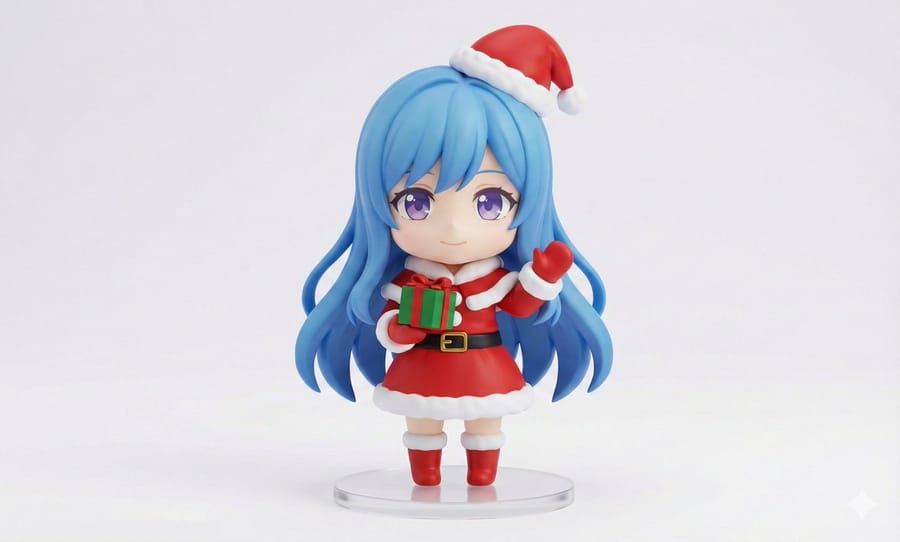
Chibi Santa Character Figure Generation Prompt
A highly detailed prompt for Nano Banana Pro (also compatible with GPT Image 1.5) to transform an uploaded character image into a high-quality, chibi-style Santa Claus PVC figure. It specifies strict rules for character resemblance, figure texture, Santa costume details, posing, and product photography lighting.
Prompt
A captivating young Asian woman wearing a sparkling sleeveless top and a sheer skirt that shimmers with iridescent colors stands in a fantastical void drifting with cinematic streaks of light.
[0-3 seconds: She begins to dance slowly and gracefully, swaying her body with supple movements. The background subtly shifts from teal to warm amber light.]
[3-6 seconds: The dance intensifies into more flowing and rhythmic movements, and the background rapidly switches between a minimal studio space and a mist-shrouded neon cityscape.]
[6-9 seconds: She quickly executes a captivating pirouette, and the background flashes abstract light patterns and nighttime cityscapes like a high-speed montage.]
[9-12 seconds: The camera dynamically orbits 360 degrees around her, capturing dazzling reflections on the iridescent skirt along with a slow-motion hair flip.]
[12-15 seconds: She gently reaches toward the lens, and the scene dissolves into a soft golden lens flare, fading out to a finale filled with gentle bokeh.]
Cinematic lighting, 8K resolution, fluid motion, high-fashion aesthetics, light leak effects.
How to use this prompt
- 1Copy the prompt exactly, then paste it into your preferred model or Ideart project.
- 2Replace product, subject, audience, and style details with your own context.
- 3Generate one baseline result first, then remix the strongest direction into a campaign, image set, or video concept.
Build from this prompt
Turn a video prompt into a finished creative project.
Save the prompt, add reference images or notes, and let Ideart shape the next production step from the same creative thread.