
VideoSeedance 2.0
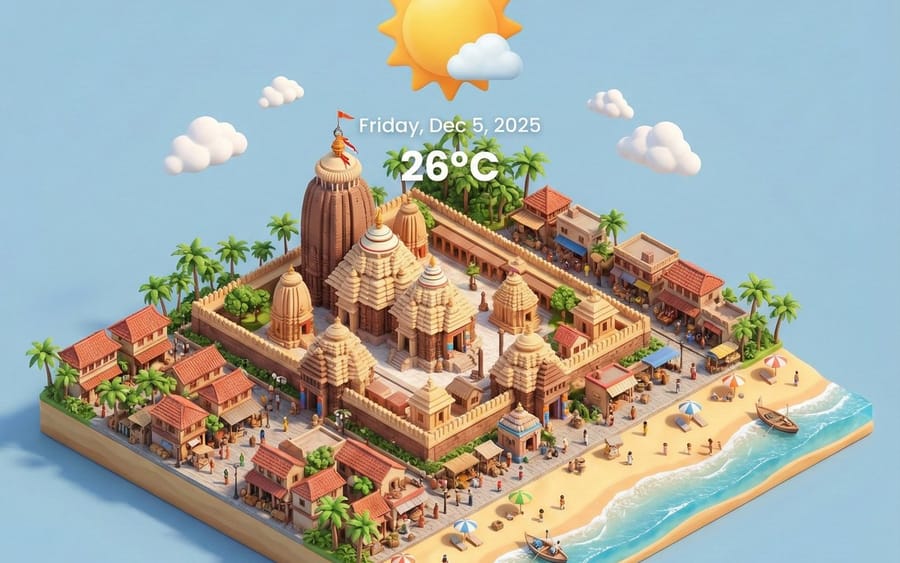
Miniature 3D City with Live Weather Prompt
A prompt for generating an isometric, miniature 3D city render of Puri, India, incorporating live weather elements, suitable for AI illustration and digital art.
Prompt
0-2 seconds: A Dunhuang flying apsara beauty floats out from a gilded mural, holding a gilded lotus lantern. As the lantern's glow flows, her red-and-gold celestial robes look like rosy clouds and brocade, and behind her the caisson ceiling pattern (interwoven red, gold, and lapis lazuli blue) radiates with flowing color. 2-4 seconds: She steps on a seven-colored lotus platform, golden-green ribbons fly with her dance steps, and every spin sends golden powder rustling down. The flying apsara group figures in the background mural (cinnabar red, bright yellow, peacock green) seem to sway in rhythm with her. 4-6 seconds: Her dance grows faster, the golden patterns on her celestial robes shimmer as if alive, and the beaded ornaments at her waist (rubies, gold ornaments, turquoise) clash and send out flowing light. Behind her, the circular caisson ceiling pattern blooms layer by layer from the center outward in magnificent colors. 6-8 seconds: She rises into the air, red-gold ribbons coil around her like neon, the sea of clouds beneath her feet is dyed gold and red, and the Buddha statues in the distant mural (gold, red, blue) appear faintly in the light and shadow, fully displaying solemn magnificence. 8-10 seconds: As she spins, her celestial robes transform into sky-filling golden-red clouds, the jewelry on her body (gold bracelets, ruby chains, blue turquoise pendants) bursts with dazzling light, and the background caisson ceiling pattern changes colors like a kaleidoscope. 10-12 seconds: Finally, she lands on a giant golden lotus throne, her red-gold celestial robes spread out like rosy clouds, the ribbons and golden powder around her interweave into a brilliant curtain of light, and the colors of the background mural (gold, red, cyan, white) reach the peak of magnificence in the light curtain.
How to use this prompt
- 1Copy the prompt exactly, then paste it into your preferred model or Ideart project.
- 2Replace product, subject, audience, and style details with your own context.
- 3Generate one baseline result first, then remix the strongest direction into a campaign, image set, or video concept.
Explore nearby prompt paths
Model
Categories
Build from this prompt
Turn a video prompt into a finished creative project.
Save the prompt, add reference images or notes, and let Ideart shape the next production step from the same creative thread.