
VideoSeedance 2.0
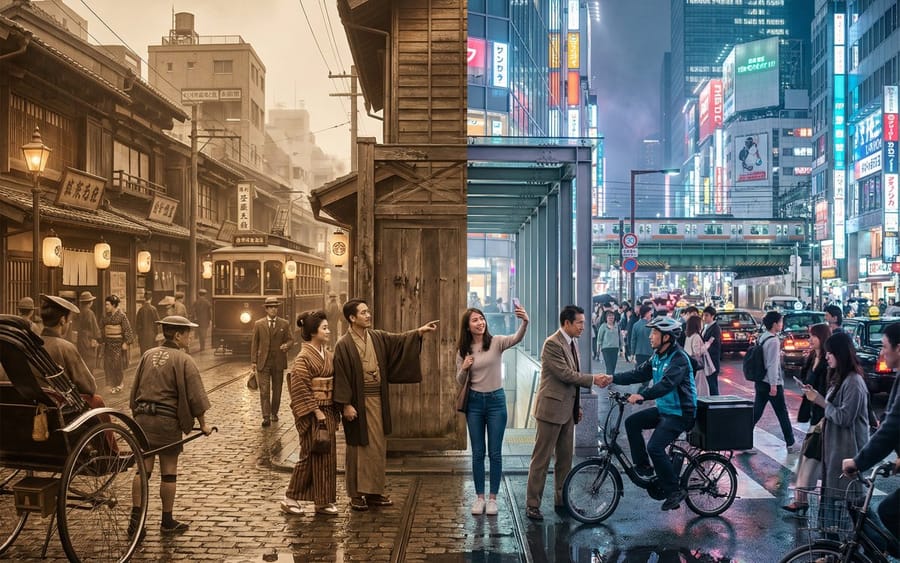
Tokyo Time-Blend Split-Screen
A complex, structured prompt for generating a cinematic wide shot of Tokyo, seamlessly blending the 1920s and the present day in a split-screen composition, detailing environmental elements, lighting, and the dynamic interaction between the two eras.
Prompt
@图片, dreamy ancient-style transformation theme, sequentially transforming into the four spirits: Azure Dragon, Vermilion Bird, White Tiger, and Black Tortoise, and finally the qi of the four spirits converges in the palm; the overall image is filled with an ancient-style atmosphere, high-definition image quality, delicate and layered lighting and shadow, gorgeous special effects that fit the traits of the four spirits - Azure Dragon transformation: cyan-blue dominant color palette, flowing cloud and water-ripple light effects swirling around the body, a dragon-shaped phantom surrounding, flowing garments with scale-pattern texture, movements nimble like a roaming dragon - Vermilion Bird transformation: crimson, gold, and orange dominant color palette, flame particles flying all over the sky, Vermilion Bird wing phantoms spreading, garments with feather patterns, movements graceful like a flame bird flapping its wings - White Tiger transformation: silver-white and ink-black dominant color palette, lightning patterns traveling around the body, a White Tiger phantom raising its head and roaring, crisp garments with beast patterns, movements strong like a white tiger charging - Black Tortoise transformation: black and cyan-brown dominant color palette, tortoise-shell shield pattern light and shadow emerging, Black Tortoise turtle-snake phantom coiling around, heavy garments with metal-and-stone texture, movements steady like a black tortoise lurking in the abyss - Closing shot: the four spirit phantoms appear behind at the same time, cyan, red, white, and black four-color spiritual qi converge from the four directions into the palm, forming a brilliant four-spirit fusion orb, the camera focuses on the palm, atmosphere maxed out, ancient-style special effects delicate and natural
How to use this prompt
- 1Copy the prompt exactly, then paste it into your preferred model or Ideart project.
- 2Replace product, subject, audience, and style details with your own context.
- 3Generate one baseline result first, then remix the strongest direction into a campaign, image set, or video concept.
Build from this prompt
Turn a video prompt into a finished creative project.
Save the prompt, add reference images or notes, and let Ideart shape the next production step from the same creative thread.