
Product identity stays anchored
The source photo remains the visual reference for shape, finish, color, and packaging, reducing the chance that each scene invents a different version of the product.
Product photo to video ad workflow
Upload product images and plan motion, scene order, proof moments, captions, and CTA before generating the final media.
A strong product photo already contains useful creative evidence: shape, material, color, packaging, and visual hierarchy. This workflow uses those details as the anchor for a video ad plan, then adds only the motion, context, pacing, and campaign message needed to turn a still image into a coherent sequence.
The source photo remains the visual reference for shape, finish, color, and packaging, reducing the chance that each scene invents a different version of the product.
Camera moves, product reveals, macro details, and transitions are described as deliberate scene beats instead of leaving movement to an underspecified prompt.
Visible product details are kept distinct from inferred benefits, lifestyle context, and campaign claims so teams can review what came from the image and what was added creatively.
Product images, prompts, scene plans, and generated assets stay in one project, making it easier to compare hooks or revise a weak scene without starting over.
A clean electronics photo becomes a four-beat launch concept with a product reveal, detail shot, lifestyle moment, and closing hero frame.
Use this earbud product photo to plan a 15-second launch ad with restrained camera motion and a premium urban mood.
A scene sequence that identifies which details must stay consistent and where motion, environment, and captions can be introduced safely.
A simple catalog photo is turned into a short ad that moves from visible product features to a realistic use moment and direct offer.
Turn this insulated bottle photo into a vertical social ad focused on portability, close-up material details, and everyday use.
A reviewable storyboard with camera notes, product continuity requirements, benefit moments, and a concise final CTA.
The workflow makes the boundary between the source photo and the proposed ad visible, helping teams catch identity drift, unsupported claims, or impractical scenes early.
Color, material, proportions, packaging, and visible accessories can be recorded as invariants before any scene is generated.
Audience, setting, benefits, and emotional tone are presented as choices rather than facts extracted from the photo.
Because the work stays project-based, a single transition or lifestyle shot can be replaced without rebuilding the full campaign context.
The storyboard demonstrates a practical progression from source image to detail, lifestyle context, and a polished closing frame while preserving a consistent product.
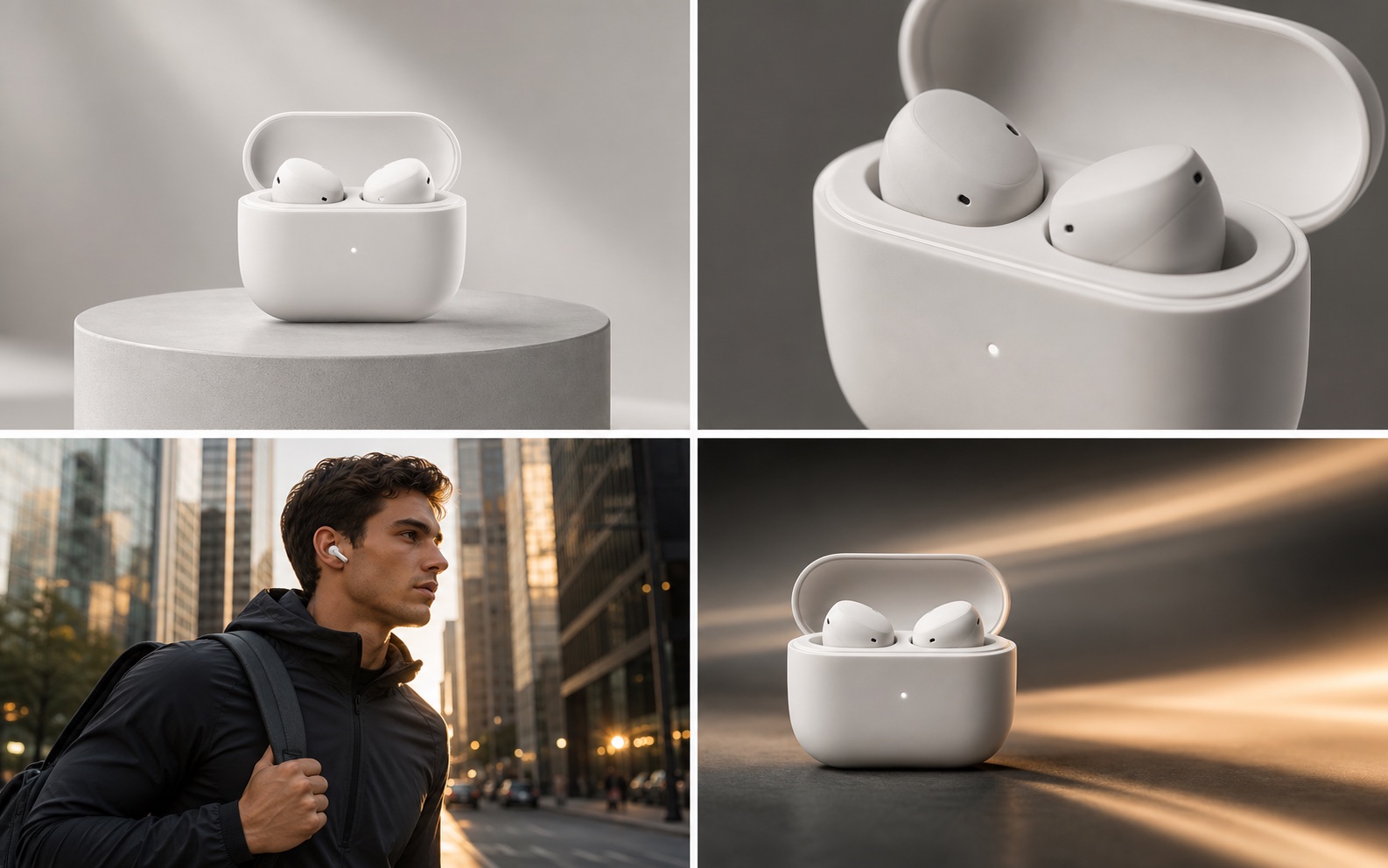
The sequence starts with a studio reference, moves into a macro detail and real-use moment, then closes on a campaign-ready hero shot.
Add motion, close-up details, and use context to clean product images without losing the visual identity buyers already recognize.
Turn approved launch photography into teaser, feature, and hero scene directions for paid and organic social campaigns.
Use product references to define what creators should show, which details must remain visible, and where natural demonstrations belong.
Choose clear images that show the product shape, important materials, packaging, or accessories. Add the offer and audience in the prompt.
Check product invariants, camera moves, lifestyle context, captions, and claims before selecting a direction for generation.
Create media from the approved direction, then revise individual scenes or branch new hooks while keeping the same source references.
One clear image is enough to begin. Multiple angles are useful when the product has important side details, packaging, accessories, or materials that must remain consistent.
The tool starts by building a video ad workflow around your photos. The final generation method depends on the selected model and whether a scene should animate the source image or use it as a visual reference.
You can identify visual invariants such as color, proportions, materials, and packaging in the project context. Additional reference angles generally improve consistency for complex products.
Upload the approved photo, describe the offer, and turn it into a reviewable sequence before committing to final generation.
Create a video ad from photos