
VideoSeedance 2.0
Mechanical Design Sketch Notes
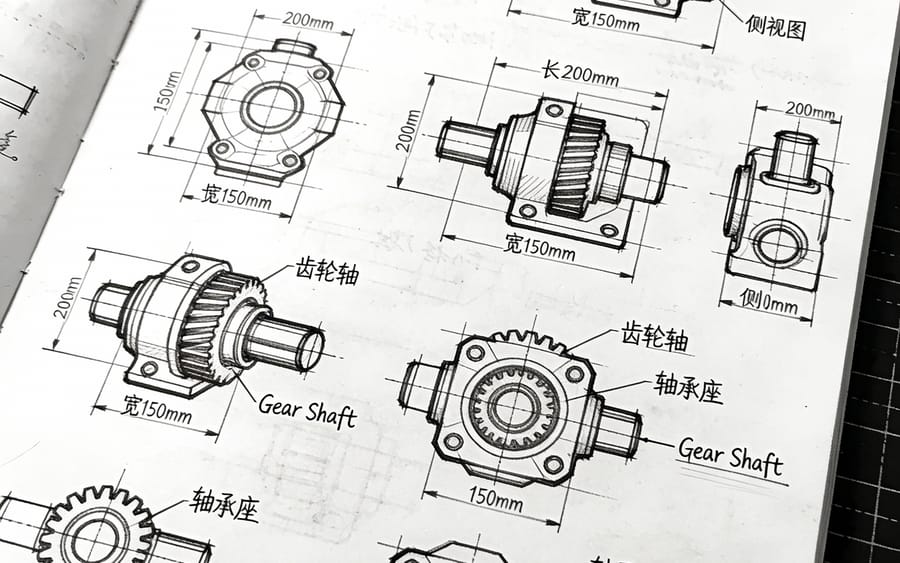
This prompt simulates a detailed mechanical design notes page with black line sketches, three-view drawings, dimension annotations, and dense text layout, suitable as academic backgrounds, engineering illustrations, or retro study materials.
Prompt
0-2 seconds: frontal medium shot, the dog, parrot, and cat—three pets—side by side looking at the camera, the person on camera
图片1
raises hand like a gun and says “Come on, let's rehearse”; 2-5 seconds: cut to a close-up of the dog, the person on camera shouts “biu!”, the dog dramatically falls down and sticks out its tongue, the person on camera
图片1
nods and says “Very good, Wangcai is very dedicated”; 5-8 seconds: cut to a close-up of the parrot, the person on camera shouts “biu!”, the parrot tilts its head back, freezes, and falls down, the person on camera says with satisfaction “The extras are also very cooperative”; 8-12 seconds: cut to a close-up of the cat, the person on camera
图片1
says “biu.”, the cat sits still and looks at the camera indifferently, the person on camera frowns and says “Why aren't you following the script?”; 12-15 seconds: the person on camera and the cat look at each other; the person on camera points at the cat and says seriously “If you still don't fall down —” after a pause continues “Today all the cat food cans will be awarded to Wangcai!”, the cat instantly lies down, the screen adds the subtitle “An Actor's Self-Cultivation”.
How to use this prompt
- 1Copy the prompt exactly, then paste it into your preferred model or Ideart project.
- 2Replace product, subject, audience, and style details with your own context.
- 3Generate one baseline result first, then remix the strongest direction into a campaign, image set, or video concept.
Build from this prompt
Turn a video prompt into a finished creative project.
Save the prompt, add reference images or notes, and let Ideart shape the next production step from the same creative thread.