
VideoSeedance 2.0
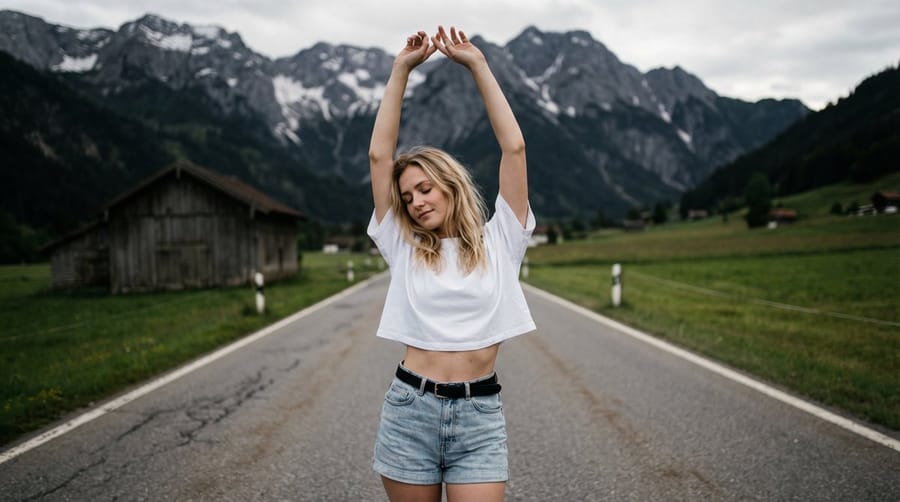
Surreal Double Exposure Portrait with Transparent Torso
A structured JSON prompt for generating a surreal, artistic portrait using a double exposure style, where the subject's torso is transparent and overlaid with a hand-drawn doodle outline, revealing a majestic alpine landscape background.
Prompt
Five Senses Perfume (The Scent of Personas)
 Core Highlight: Visualize "smell". Use the mist of perfume sprayed at the lens as a transition medium; each perfume represents a completely different persona.
 0-3s: 【Woody Cold Tone - Aloof Queen】 Action: Extreme close-up of the camera. She
Image 1
wears clothing that matches the tone of this scene video, only referencing the facial feature consistency of the character I provided. Other clothing and hairstyles need to be designed according to the scene. Holding a bottle of dark vintage perfume, lightly spraying it at the camera (i.e., your face). Transformation: Fine mist instantly blurs the picture, then it clears. She wears a dark gray suit dress, long hair slicked back, sharp gaze. Environment: Cool tones, background is a minimalist cement wall.
 3-8s: 【Floral Warm Tone - Sweet Idol】 Action: She takes out a pink perfume bottle from behind, draws a circle in the air, and her body rotates along the circle. Transformation: As she rotates, the suit shatters into thousands of petals, transforming into a pink lace sequin dress. Environment: Warm-toned sunset, with cherry blossom effects floating in the air.
 8-15s: 【Oceanic Tone - Ethereal Mermaid】 Action: She directly pours a bottle of blue perfume onto the camera lens (special effect), and the picture gives a "water entry" feeling. Transformation: High-frequency rapid beat cuts. She wears a sea-blue laser-textured long dress, wet hair style, with pearls attached to her cheekbones.
 Sound Effects: Instantly switch from a muffled underwater sound to a high-pitched electronic climax.
How to use this prompt
- 1Copy the prompt exactly, then paste it into your preferred model or Ideart project.
- 2Replace product, subject, audience, and style details with your own context.
- 3Generate one baseline result first, then remix the strongest direction into a campaign, image set, or video concept.
Build from this prompt
Turn a video prompt into a finished creative project.
Save the prompt, add reference images or notes, and let Ideart shape the next production step from the same creative thread.